7 Best Transactional Email Services in 2026 (Cheapest First)
Compare 7 transactional email services by real price at 50k emails, free tiers, APIs, webhooks and log retention. Cheapest first, honest trade-offs.
A transactional email service sends the messages your application triggers on its own: password resets, sign-in links, receipts, shipping updates, invoices and alerts. These emails are expected, time-sensitive and often blocking. If a password reset takes ten minutes to arrive, or lands in spam, the user does not blame the email provider. They blame your product.
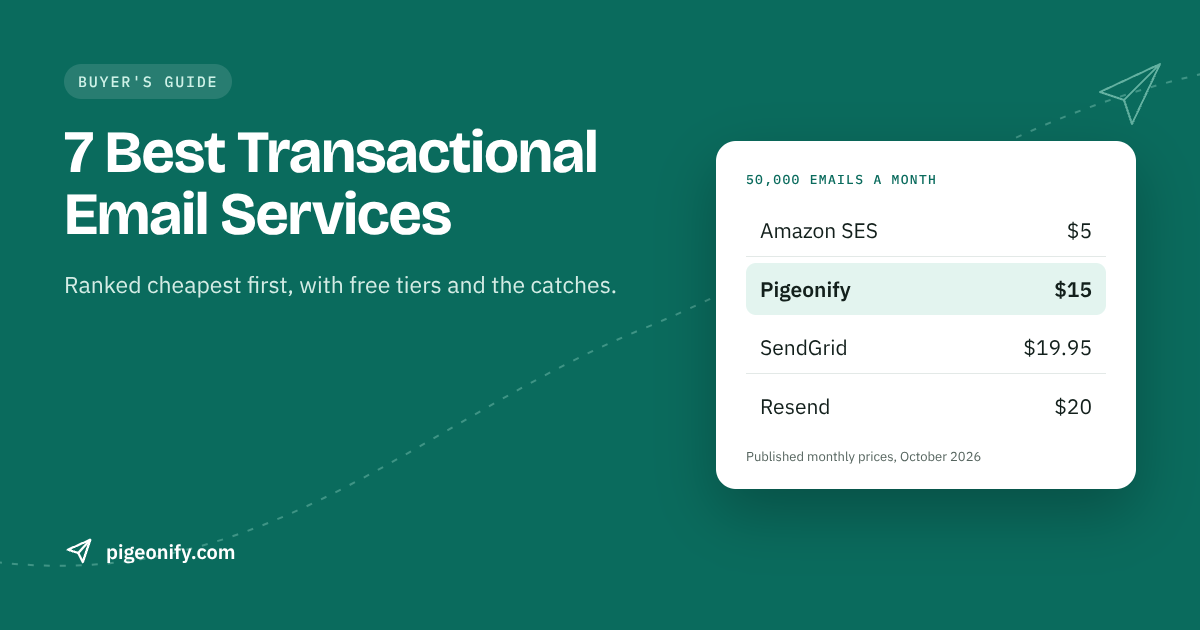
This guide compares seven providers, ordered roughly from cheapest to most expensive at 50,000 emails a month: Amazon SES, Pigeonify, SendGrid, Resend, Mailgun, Postmark and Brevo. We make Pigeonify, so we have a bias. To keep ourselves honest, every review below names what the provider does well, and we say plainly where other services beat us.
Prices checked against each provider's published pricing in early October 2026; providers change prices often, so confirm on their pricing page before you buy.
What a transactional email service actually does
At the simplest level, a transactional email API takes a request from your code (sender, recipient, subject, body) and hands it to receiving mail servers on your behalf. The value is in everything around that handoff:
- Sending infrastructure and IP reputation. The provider runs the mail servers and manages the IP addresses your mail leaves from. Shared IPs carry the combined reputation of every sender on them, which is why good providers police bad senders.
- Authentication. SPF, DKIM and DMARC records prove the mail really came from your domain. A good service walks you through setting them up.
- Feedback handling. Bounces and spam complaints come back from receiving servers. The service records them, suppresses bad addresses and tells your app via webhooks.
- Observability. Logs of what was sent, delivered, bounced, opened or clicked, kept for some number of days.
If you are not sure whether a message counts as transactional or marketing, our guide on transactional vs marketing email covers the distinction and why it matters for deliverability and consent.
How to evaluate a transactional email API
Before looking at prices, decide what you need. These are the criteria we used for this email API comparison.
Deliverability reputation
No provider can promise inbox placement, and you should be skeptical of anyone quoting a precise deliverability percentage. What you can judge is how seriously a provider protects its shared IP pools, how well it supports domain authentication, and whether it offers dedicated IPs when your volume justifies one. Your own sending habits (clean lists, low bounce rates, consistent volume) matter at least as much as the provider.
API design and SDKs
The best email API for developers is the one your team can integrate in an afternoon and never think about again. Look for official SDKs in your language, clear error messages, idempotent batch endpoints and an SMTP option for legacy systems or tools that only speak SMTP.
Webhooks
You will want delivery, bounce, complaint, open and click events pushed to your app. Signed webhook payloads let you verify that an event really came from the provider and not from someone hitting your endpoint.
Logs and retention
When a customer says "I never got the email," you need to look it up. Retention ranges from one day to 45 days depending on provider and plan. Short retention is fine if you store events yourself via webhooks; it hurts if you rely on the dashboard.
Free tier
An email API free tier is useful for development, staging and very small apps. Pay attention to daily caps, not just monthly totals, and to whether the free tier expires.
Price at your volume, and overage policy
List prices are only half the story. Check what happens when you exceed your plan: some providers bill overage per 1,000 emails, which can produce a surprise invoice after a traffic spike. Others pause sending until you upgrade. Neither is strictly better; it depends on whether you fear a bill or a gap in sending more.
Master comparison table: cost at 50,000 emails a month
Sorted by monthly cost at 50,000 emails, cheapest first.
| Provider | Cost at 50k/mo | Cost at 100k/mo | Free tier | Overage approach | Log retention (entry paid plan) |
|---|---|---|---|---|---|
| Amazon SES | $5 | $10 | Not covered here; see AWS | Pay per use, $0.10 per 1,000 | Via CloudWatch, you configure it |
| Pigeonify | $15 (Pro) | $65 (Scale, 150k) | 5,000/mo, max 200/day | No overage; sending pauses, you upgrade | 7 days (Pro) |
| SendGrid | $19.95 (Essentials) | $34.95 (Essentials) | 60-day trial, 100/day | ~$1.30 per 1,000 on Essentials 50k | 3 days (Essentials) |
| Resend | $20 (Pro) | $35 (Pro) | 3,000/mo, 100/day | $0.90 per 1,000 | Not in our checked data |
| Mailgun | $35 (Foundation) | $90 (Scale) | 100/day | $1.30 per 1,000 (Foundation) | 5 days (Foundation) |
| Postmark | $66 to $87 | ≈ $126 (Platform) | 100/mo, no expiry | $1.20 to $1.80 per 1,000 | 45 days |
| Brevo | Varies; Starter from $9 for 5,000 | Varies | 300/day | Check pricing page | Not in our checked data |
Brevo prices by emails sent across marketing plans, and we did not have a verified 50k figure, so it sits at the bottom with a note rather than a guessed number.
The 7 best transactional email services, reviewed
1. Amazon SES
Price: $0.10 per 1,000 emails, pay as you go. That is $5 for 50,000 and $10 for 100,000. Since July 2026 AWS also offers plans, including Essentials at $0.16 per 1,000 with no monthly fee. A dedicated IP is $24.95 a month.
Best for: Teams already on AWS with engineering time to build the pieces SES leaves out. If cost per email is your top priority, SES is the cheapest transactional email option here by a wide margin.
Watch-outs: - New accounts start in a sandbox and must request production access before sending to arbitrary recipients. - Bounce and complaint handling has to be wired up yourself through SNS. - No campaign builder, no contact lists, no template editor. Dashboards live in CloudWatch.
SES is raw infrastructure. It is excellent at what it does, but you are buying a component, not a product. For many small teams, a managed layer on top of SES is worth the extra few dollars a month.
2. Pigeonify
Price: Free plan with 5,000 emails a month (max 200 a day, no card). Pro is $15 a month for 50,000 emails. Scale is $65 a month for 150,000 emails. Enterprise is custom above 1 million a month. Full details are on our pricing page.
Best for: Startups and small teams that want a transactional email API, SMTP relay and marketing campaigns in one account, at a low fixed price up to about 50,000 emails a month.
What you get: REST API and SMTP relay, official SDKs (the Node package is pigeonify), React Email support, batch and scheduled sending, signed webhooks, scoped API keys, MFA, automatic suppression lists, bounce and complaint tracking, guided SPF/DKIM/DMARC setup and real-time analytics. Pigeonify sends through AWS SES infrastructure and suspends accounts whose bounce rate exceeds 2% to protect shared reputation.
Watch-outs: - We are a newer platform with a smaller integration ecosystem than SendGrid or Mailgun. - Log retention is short on lower plans: 1 day on Free, 7 days on Pro. - No inbound email routing and no email validation product. - At around 100,000 emails a month, Pigeonify costs more than SendGrid Essentials or Resend Pro. Our next step up is $65 for 150,000, while they charge about $35 for 100,000. - No overage billing means sending pauses at your limit until you upgrade. That avoids surprise invoices but requires you to watch usage.
3. SendGrid (Twilio)
Price: Essentials is $19.95 a month for 50,000 emails or $34.95 for 100,000. Pro starts at $89.95 a month for 100,000 with a dedicated IP, subusers and SSO. Premier is custom.
Best for: Companies that want the most established ecosystem. SendGrid has been around since 2009, integrates with a huge range of tools, and pairs naturally with Twilio for SMS and voice. At 100,000 emails a month on Essentials, it is one of the cheapest managed options.
Watch-outs: - The permanent free plan is gone. You now get a 60-day trial at 100 emails a day. - Email activity history on Essentials is only 3 days. - Overage on Essentials 50k runs about $1.30 per 1,000. - Marketing Campaigns is a separate product, billed separately.
4. Resend
Price: Free for 3,000 emails a month, capped at 100 a day. Pro is $20 a month for 50,000 or $35 for 100,000, with overage at $0.90 per 1,000. Scale starts at $90 a month for 100,000 and goes up to $1,150 a month for 2.5 million. Marketing email is billed separately by contacts, from $40 a month for 5,000 contacts.
Best for: Developers who care deeply about API ergonomics and documentation. Resend created React Email, and its developer experience is excellent. It is very competitive at 100,000 emails a month.
Watch-outs: - The free tier's 100-per-day cap is tight for anything beyond testing. - Marketing email is a separate bill based on contacts, so a combined setup costs more than the transactional price suggests.
5. Mailgun (Sinch)
Price: Free for 100 emails a day. Basic is $15 a month for 10,000 (overage $1.80 per 1,000, 1-day logs, 1 domain). Foundation is $35 a month for 50,000 (overage $1.30 per 1,000, 5-day logs). Scale is $90 a month for 100,000 (overage $1.10 per 1,000, 30-day logs, dedicated IP and 5,000 validations).
Best for: Apps that need to receive email as well as send it. Mailgun's inbound routing is excellent, and it has a dedicated email validation product. If you parse replies, process support emails or need to verify addresses at signup, Mailgun does things Pigeonify does not.
Watch-outs: - At 50,000 and 100,000 emails, it costs more than SendGrid, Resend or Pigeonify. - Overage on Basic is relatively expensive at $1.80 per 1,000.
6. Postmark (ActiveCampaign)
Price: Free developer plan with 100 emails a month, no expiry. Basic is $15 a month for 10,000 (overage $1.80 per 1,000, 45-day retention). Pro is $16.50 for 10,000 (overage $1.30, inbound processing). Platform is $18 for 10,000 (overage $1.20, unlimited servers, streams and users). At 50,000 emails that works out to $87 on Basic, $68.50 on Pro or $66 on Platform. At 100,000, Platform is about $126.
Best for: Teams for whom transactional deliverability is non-negotiable and worth paying for. Postmark has a best-in-class reputation for transactional mail, keeps transactional and broadcast mail in separate message streams, and its support is widely praised. It also has the longest retention in this list.
Watch-outs: - It is the most expensive option at 50,000 and 100,000 emails. - The free tier is for testing only.
If you are weighing Postmark against us specifically, our Postmark comparison lays out the trade-offs side by side.
7. Brevo (ex-Sendinblue)
Price: Priced by emails sent rather than contacts. Free plan allows 300 emails a day and up to 100,000 contacts, with Brevo branding. Starter is from $9 a month for 5,000 emails. Standard is from $18 a month and adds automation and A/B tests. Professional starts at $499 a month. Transactional email over API and SMTP is included on plans.
Best for: Businesses that want marketing, transactional email, SMS and WhatsApp from one vendor, plus a free CRM. The free plan's daily allowance is generous for low-volume apps.
Watch-outs: - Brevo is marketing-first. Developers comparing API ergonomics usually find Resend, Postmark or SendGrid more focused. - Removing the Brevo logo is a $10.80 a month add-on on Starter.
Email API free tiers compared
Free tiers matter most during development and for side projects. Daily caps are often the real constraint, so we list both.
| Provider | Free allowance | Daily cap | Expires? |
|---|---|---|---|
| Pigeonify | 5,000 emails/month | 200/day | No |
| Brevo | About 9,000/month at the daily cap | 300/day | No |
| Resend | 3,000 emails/month | 100/day | No |
| Mailgun | About 3,000/month at the daily cap | 100/day | No |
| Postmark | 100 emails/month | Not applicable | No |
| SendGrid | Trial only | 100/day | Yes, after 60 days |
A few honest observations:
- Brevo has the highest daily cap at 300 a day. If your app sends in steady small amounts, it can deliver more total free mail than Pigeonify in a month. It does add Brevo branding.
- Pigeonify has the largest monthly allowance with a clear limit at 5,000 a month, and includes 1,000 marketing contacts. The 200-a-day cap means it suits steady traffic, not one big blast.
- Postmark's free plan is meant for testing integrations, not for running production.
- SendGrid no longer has a permanent free plan, which is a change many older tutorials still miss.
Which transactional email service should you choose?
- Lowest possible cost, have AWS skills: Amazon SES.
- Up to 50,000 emails a month, want API, SMTP and campaigns in one place: Pigeonify.
- Around 100,000 emails a month at the lowest managed price: SendGrid Essentials or Resend Pro, both about $35. Pigeonify costs more here.
- Best developer experience and React Email: Resend. Pigeonify supports React Email too, but Resend created it.
- Inbound email or address validation: Mailgun.
- Transactional deliverability above all, budget to match: Postmark.
- Marketing plus SMS and WhatsApp: Brevo.
Who should NOT choose Pigeonify
We would rather you pick the right tool than churn in three months. Pigeonify is probably not your best fit if:
- You need inbound email routing or parsing. Mailgun and Postmark both handle this.
- You need email validation at signup. Mailgun offers it.
- You need separate message streams for transactional and broadcast mail. Postmark does this well.
- You send around 100,000 emails a month and want the lowest managed price. SendGrid Essentials and Resend Pro are cheaper at that volume.
- You need long log retention without storing events yourself. Postmark keeps 45 days on every paid plan.
- You rely on a large catalog of third-party integrations. SendGrid's ecosystem is far larger.
Getting started in your language
Most transactional email APIs follow the same pattern: create an API key, verify your sending domain, then call a send endpoint or SDK method. With Pigeonify's Node SDK it looks like new Pigeonify(key).emails.send({ from, to, subject, html }). We have step-by-step tutorials for the most common stacks:
Whichever provider you choose, set up SPF, DKIM and DMARC before you send real traffic, start with modest volume, and listen to bounce and complaint webhooks from day one. Those habits do more for inbox placement than any provider switch.
FAQ
What is a transactional email service?
A transactional email service delivers emails that your application triggers for an individual user, such as password resets, receipts, verification links and notifications. It provides the sending servers, IP reputation management, domain authentication support, bounce and complaint handling, and logs. You connect to it with a REST API or SMTP instead of running your own mail server.
What is the cheapest transactional email service?
Amazon SES is the cheapest at $0.10 per 1,000 emails, so 50,000 emails cost about $5. The trade-off is setup work: you start in a sandbox, wire bounce handling through SNS, and get no campaign tools. Among managed services, Pigeonify is cheapest at 50,000 emails ($15), while SendGrid Essentials and Resend Pro are cheapest around 100,000 (about $35).
Which transactional email API has the best free tier?
It depends on your sending pattern. Pigeonify offers 5,000 emails a month with a 200-per-day cap and no card. Brevo allows 300 a day, which can add up to more in a month, but adds branding. Resend gives 3,000 a month at 100 a day. SendGrid now offers only a 60-day trial.
Is Postmark worth the higher price?
For many teams, yes. Postmark has a best-in-class reputation for transactional deliverability, separates transactional and broadcast mail into different message streams, keeps 45 days of history and is known for strong support. If a missed login email costs you real money, the premium can be justified. If budget matters more, cheaper providers work well with good sending practices.
Can I use one provider for both transactional and marketing email?
Yes. Pigeonify and Brevo include both in one account. Resend and SendGrid offer marketing as separately billed products. Whatever you choose, keep marketing and transactional mail logically separated, for example by subdomain, so a weak campaign does not hurt delivery of password resets.
What happens if I exceed my plan limit?
Most providers bill overage per 1,000 emails, for example about $1.30 on SendGrid Essentials or $0.90 on Resend Pro. Pigeonify does not bill overage: sending pauses at your limit and you move up a tier. That prevents surprise invoices, but it means you should monitor usage and upgrade before a busy period.
Start sending
If a single account for API, SMTP and campaigns at a fixed monthly price sounds right, try it on real traffic. Start free — 5,000 emails a month, no card.