Amazon SES vs SendGrid: Real Cost Including Engineering
Amazon SES vs SendGrid in 2026: SES is $0.10 per 1,000 emails, but you build bounces, suppression and dashboards yourself. A total cost of ownership guide.
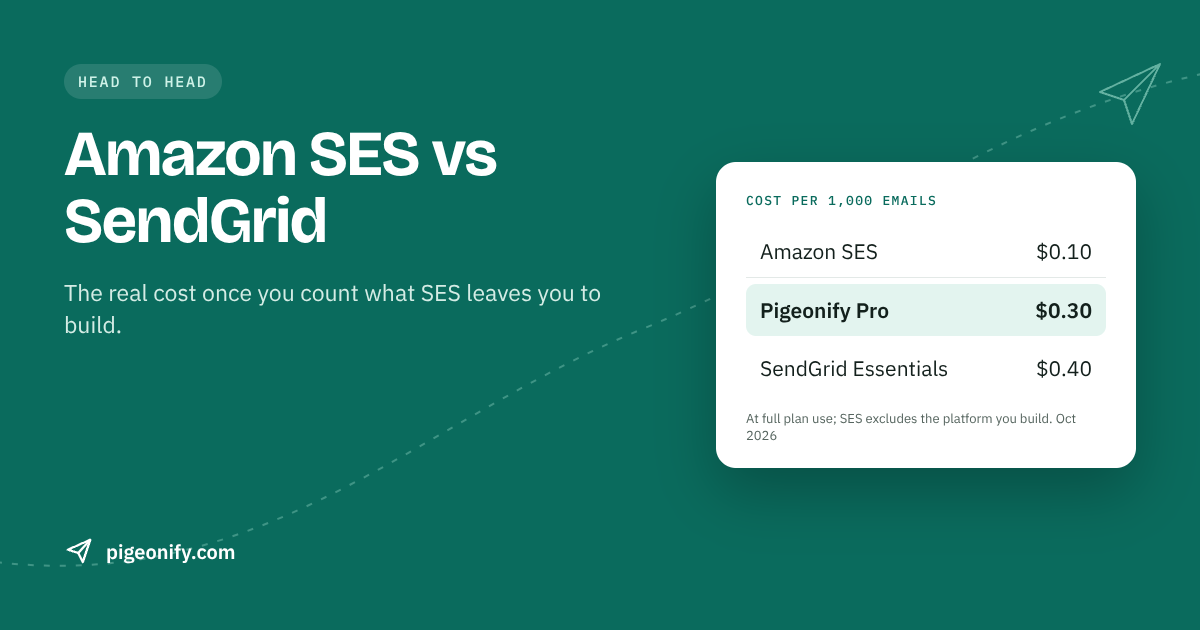
On a pricing page, Amazon SES vs SendGrid looks like a short contest. Amazon SES charges $0.10 per 1,000 emails. SendGrid's entry paid plan is $19.95 a month. At almost any volume, SES is cheaper per email, often by a wide margin.
But SES is infrastructure, not a finished product. It delivers mail very well and leaves much of the rest to you: getting out of the sandbox, processing bounces and complaints, maintaining a suppression list, building templates and dashboards. SendGrid ships most of that ready to use. This guide puts both sides on the table so you can work out the real cost for your team, including engineering time.
Prices checked against each provider's published pricing in early October 2026; providers change prices often, so confirm on their pricing page before you buy.
Amazon SES pricing in 2026
SES has two ways to pay.
- À la carte: $0.10 per 1,000 emails. That is $5 for 50,000 emails, $10 for 100,000 and $15 for 150,000.
- Plans (since July 2026): AWS now also offers plan options, including Essentials at $0.16 per 1,000 with no monthly fee, plus Pro and Enterprise tiers. Check the SES pricing page for what the higher tiers include, since that is where AWS is packaging more of the surrounding features.
- Dedicated IP: $24.95 per month.
The headline remains the same: on raw sending cost, SES is the cheapest mainstream email sending service.
SendGrid pricing in 2026
- The permanent free plan is retired; new accounts get a 60-day trial at 100 emails per day.
- Essentials: $19.95/month for 50,000 emails, $34.95/month for 100,000. Overage on the 50k plan is about $1.30 per 1,000. Email activity history is 3 days.
- Pro: from $89.95/month for 100,000 emails, with a dedicated IP, subusers and SSO.
- Premier: custom.
- Marketing Campaigns is a separate product billed separately.
The sticker price comparison
| Monthly emails | Amazon SES (à la carte) | SendGrid | Pigeonify |
|---|---|---|---|
| 5,000 | $0.50 | $19.95 after trial | $0 (Free, max 200/day) |
| 50,000 | $5 | $19.95 (Essentials) | $15 (Pro) |
| 100,000 | $10 | $34.95 (Essentials) | $30 (Pro) |
| 150,000 | $15 | from $89.95 (Pro) | $65 (Scale) |
On sticker price alone, SES wins every row. The rest of this article is about what that table leaves out.
The SES sandbox: your first hurdle
Every new SES account starts in the SES sandbox. In the sandbox you can only send to verified addresses, and sending volume is restricted. To send to real customers you must request production access from AWS and describe how you collect addresses and handle bounces and complaints.
That request is reviewed by a person, and approval is not instant. Plan for it before launch day rather than discovering it the afternoon you go live. A clear description of your opt-in process and bounce handling helps.
SendGrid has its own onboarding and review, but you are not starting in a sandbox that blocks sending to unverified recipients.
What SES leaves you to build: a checklist
This is the part that turns a $10 bill into a project. Use it as a checklist when scoping SES.
Getting started
- [ ] Request production access to leave the SES sandbox
- [ ] Verify sending domains and set up SPF, DKIM and DMARC (see SPF, DKIM and DMARC explained)
- [ ] Configure IAM credentials with least-privilege permissions
Bounces and complaints
- [ ] Create SNS topics for bounce and complaint notifications
- [ ] Build an endpoint or queue consumer that processes those notifications
- [ ] Distinguish hard bounces from soft bounces and decide retry rules
- [ ] Keep your bounce and complaint rates low enough that AWS does not pause your account
Suppression
- [ ] Use or extend the account-level suppression list
- [ ] Make sure your app checks suppression before sending, including for marketing sends
- [ ] Handle unsubscribes and the List-Unsubscribe header (see our List-Unsubscribe guide)
Content
- [ ] Build a template system, since SES has no template editor
- [ ] Decide where templates live and who can edit them
Visibility
- [ ] Build dashboards on top of CloudWatch metrics, or export events elsewhere
- [ ] Store per-message events if your support team needs to look up "did this email arrive"
- [ ] Set up alerts for bounce and complaint spikes
Marketing
- [ ] Build contact lists and segmentation, since SES has none
- [ ] Build campaign scheduling and sending, since SES has no campaign builder
- [ ] Build signup forms and unsubscribe pages
Not every team needs every item. A product that only sends password resets can skip the marketing section entirely. But almost everyone needs the bounce, complaint and suppression pieces. Our bounce handling guide walks through the logic in more detail.
Total cost of ownership: a simple formula
We will not guess what your engineers cost. You know that number better than we do. Instead, here is a framework you can fill in.
Monthly total cost = sending cost + (build hours ÷ months you expect to keep it) × hourly rate + maintenance hours per month × hourly rate
Where:
- Sending cost is the provider's bill at your volume.
- Build hours is the one-time effort to complete the checklist items you need.
- Months you expect to keep it spreads that one-time effort over its useful life.
- Maintenance hours per month covers on-call, debugging delivery issues, AWS changes, and answering "why did this email bounce" questions.
- Hourly rate is your fully loaded cost per engineering hour.
A few qualitative observations from applying this:
- At low and mid volume, the gap in sending cost between SES and a managed service is a few dollars to tens of dollars a month. Even a small amount of engineering time usually outweighs it.
- At high volume, the per-email savings from SES compound every month while the build cost is mostly one-time. That is where SES becomes the rational choice.
- Maintenance is the line people forget. A homegrown bounce pipeline works quietly until it does not, and then someone has to drop what they are doing.
- Opportunity cost is real. Hours spent on email plumbing are hours not spent on your product.
To make the formula concrete without inventing numbers: if your team estimates the build at B hours, expects to keep it for M months, spends H hours a month maintaining it, and pays R per hour, the engineering share of your monthly cost is (B ÷ M + H) × R. Compare that figure plus the SES bill with a managed provider's bill at your volume.
What SendGrid gives you instead
SendGrid is the opposite trade. You pay more per email and get:
- A finished product with bounce and complaint handling, suppression management and an activity feed.
- Templates and a mature, separately billed marketing product.
- A huge integration ecosystem built up since 2009.
- Pro features such as a dedicated IP, subusers and SSO from $89.95/month.
Its weaknesses: no permanent free plan, only 3 days of activity history on Essentials, overage charges if you exceed your plan, and Marketing Campaigns billed as a separate product.
Where SES is better
We say this plainly because it is true:
- SES is cheaper per email than any managed service, including Pigeonify. At 100,000 emails a month it is $10, versus $30 on Pigeonify Pro and $34.95 on SendGrid Essentials.
- At high volume with spare engineering capacity, building on SES directly is often the right call. The per-email savings keep growing while the build cost does not.
- If you are deep in AWS already, IAM, CloudWatch and SNS are familiar, and SES fits your existing tooling.
- Dedicated IPs are inexpensive at $24.95 per month.
A middle path: Pigeonify on top of SES
If you like SES delivery but do not want to build the checklist above, Pigeonify is one Amazon SES alternative that keeps SES underneath. Pigeonify sends through AWS SES infrastructure and adds the product layer on top:
- No sandbox wait. You sign up and send from a verified domain; you do not file your own SES production access request.
- Bounces, complaints and suppression handled. Automatic suppression list, bounce and complaint tracking, and signed webhooks if you want events in your own systems.
- Developer tooling. REST API, SMTP relay, official SDKs, React Email support, batch and scheduled sending, scoped API keys and MFA.
- Guided SPF, DKIM and DMARC setup, plus free DNS checking tools.
- Marketing included. Contact lists, segmenting by lists, signup forms, automations, campaigns, 70 HTML templates, a drag-and-drop email builder and an HTML editor with live preview.
- Real-time analytics instead of building CloudWatch dashboards.
Pricing is $0 for 5,000 emails a month, $15 for 50,000 and $65 for 150,000, with no overage billing: sending pauses at the limit and you upgrade deliberately. See the pricing page or the full SES comparison.
The code difference
Here is a minimal send with the SES v2 SDK for Node:
import { SESv2Client, SendEmailCommand } from "@aws-sdk/client-sesv2";

const ses = new SESv2Client({ region: "us-east-1" });

await ses.send(new SendEmailCommand({
  FromEmailAddress: "hello@example.com",
  Destination: { ToAddresses: ["user@example.com"] },
  Content: {
    Simple: {
      Subject: { Data: "Welcome" },
      Body: { Html: { Data: "<p>Thanks for signing up.</p>" } },
    },
  },
}));
And the same send with Pigeonify:
import Pigeonify from "pigeonify";

const pigeonify = new Pigeonify(process.env.PIGEONIFY_API_KEY);

await pigeonify.emails.send({
  from: "hello@example.com",
  to: "user@example.com",
  subject: "Welcome",
  html: "<p>Thanks for signing up.</p>",
});
The send call itself is not where the effort goes. Both are short. The difference is everything around it: the SES version still needs the sandbox exit, SNS bounce processing, suppression and dashboards from the checklist. For a fuller walkthrough, see how to send email with Node.js.
Who should not choose Pigeonify
- High-volume teams with engineering time to spare. SES alone is cheaper per email, and that gap grows with volume.
- Teams with engineering time who want the lowest possible cost. At 100,000 emails a month SES is $10 against our $30, and the gap widens with volume.
- Anyone who needs inbound email, email validation or separate message streams. Pigeonify does not offer them.
- Marketers who want a large template gallery. We have a drag-and-drop builder, but 70 designs rather than thousands.
- Teams that depend on a large integration ecosystem. SendGrid's is far bigger; Pigeonify is a newer platform.
How to choose
- Estimate your monthly volume today and in a year. Higher volume tilts toward SES.
- Fill in the total cost formula with your own hourly rate and honest hour estimates.
- Mark which checklist items you actually need. Transactional-only apps need fewer.
- Decide who owns email operations. If no one does, a managed service is safer.
- Check ecosystem needs. Many integrations favor SendGrid.
FAQ
Is Amazon SES cheaper than SendGrid?
Per email, yes. SES costs $0.10 per 1,000 emails à la carte, so 100,000 emails cost $10, while SendGrid Essentials costs $34.95 for the same volume. The real question is total cost: SES leaves bounce processing, suppression, templates and dashboards for you to build, so the engineering time you spend needs to be added to the SES bill.
What is the SES sandbox?
Every new Amazon SES account starts in a sandbox, where you can only send to verified addresses and volume is restricted. To send to real customers you must request production access and explain how you collect addresses and handle bounces and complaints. Approval is reviewed, so request it well before launch rather than on the day you go live.
What changed in Amazon SES pricing in July 2026?
Since July 2026, AWS offers SES plans alongside the existing à la carte rate of $0.10 per 1,000 emails. The plans include Essentials at $0.16 per 1,000 with no monthly fee, plus Pro and Enterprise tiers. Check the SES pricing page for what each tier includes before deciding which model fits your volume.
Do I need SNS to use Amazon SES?
To handle bounces and complaints properly, in practice yes. SES publishes bounce and complaint notifications through SNS, and you build something that consumes them and updates your suppression logic. Without that, you risk sending repeatedly to bad addresses, which raises your bounce rate and can lead AWS to pause your sending.
What is a good Amazon SES alternative?
It depends on what you want to avoid. SendGrid gives you a finished product with a large ecosystem. Pigeonify runs on SES infrastructure and adds the product layer, including suppression, webhooks, analytics and campaigns, with no sandbox wait, from $15 for 50,000 emails. If you have spare engineering time and high volume, SES itself is often the best choice.
The bottom line
In Amazon SES vs SendGrid, SES wins on price per email and SendGrid wins on what you get out of the box. Run the total cost formula with your own numbers. If you have high volume and engineers who can own the plumbing, use SES directly. If you want a finished product with the biggest ecosystem, SendGrid. If you want SES delivery without building the checklist, and you are comfortable with a newer platform, try Pigeonify.