Best SendGrid Alternatives in 2026 (Pricing Compared)
Looking for a SendGrid alternative? We compare Pigeonify, Resend, Mailgun, Postmark, Amazon SES and Brevo on price, free tiers and migration effort.
If you are searching for a SendGrid alternative, you are probably in one of two situations. Either your free plan quietly turned into a 60-day trial, or your bill and your email activity logs are no longer a good fit for how your team works. This guide compares six options on price, free tier, marketing features and migration effort, and it says plainly where SendGrid is still the better deal.
Prices checked against each provider's published pricing in early October 2026; providers change prices often, so confirm on their pricing page before you buy.
What changed with the SendGrid free plan
For years, the SendGrid free plan was the default starting point for side projects and early-stage products. That permanent free plan has been retired. New accounts now get a 60-day trial capped at 100 emails per day. After the trial, the cheapest paid option is Essentials at $19.95 per month for 50,000 emails.
For a lot of teams, $19.95 a month is not a problem. The issue is predictability. A product that sends a few hundred password resets and receipts a month used to cost nothing, and now it carries a monthly line item from day 61. That alone is enough to send people looking for a sendgrid pricing alternative.
Why teams leave SendGrid
The free plan change is the most common trigger, but it is rarely the only reason. Here is what we hear most often:
- No permanent free tier. Small apps, staging environments and hobby projects now need a paid plan or a different provider.
- Short activity history on Essentials. Email activity on Essentials is kept for 3 days. If a customer says "I never got the reset email" on Monday about something sent last Wednesday, you may have nothing to look at.
- Overage pricing. Going over the Essentials 50k allowance costs roughly $1.30 per 1,000 emails. A busy month can produce an invoice you did not plan for.
- Marketing is a separate product. SendGrid Marketing Campaigns is billed separately from the email API, so teams that want transactional and newsletter email end up managing two subscriptions.
- Jump to Pro. Dedicated IPs, subusers and SSO start on Pro at $89.95 per month.
None of these make SendGrid a bad product. It has been around since 2009, it has one of the largest integration ecosystems in email, a mature marketing product, and a tidy bundle if you already use Twilio for SMS or voice. But if the points above sting, it is worth pricing the best sendgrid competitors side by side.
How we evaluated these SendGrid alternatives
We looked at each provider through the lens of a founder, developer or small marketing team in the US:
- Free tier — can you run a small app or a staging environment without paying?
- Entry plan — what is the cheapest way to send real volume?
- Cost at 50,000 and 100,000 emails a month — two common sizes for growing products.
- Marketing email — can you send newsletters and campaigns from the same account?
- Migration effort — how much code and DNS work does a switch take?
We used each provider's published pricing only, and we did not run our own deliverability benchmarks, so you will not see inbox placement percentages here. Deliverability depends heavily on your own domain authentication and list quality. If you want a primer on that side, start with SPF, DKIM and DMARC.
SendGrid alternatives compared: pricing table
| Provider | Free tier | Entry paid plan | Cost at 50k/mo | Cost at 100k/mo | Marketing included? | Standout |
|---|---|---|---|---|---|---|
| SendGrid (for reference) | 60-day trial, 100/day | $19.95 (50k) | $19.95 | $34.95 | Separate product | Ecosystem, since 2009 |
| Pigeonify | 5,000/mo, 200/day | $15 (50k) | $15 | $65 (Scale, 150k) | Yes, same plan | API + SMTP + campaigns in one account |
| Resend | 3,000/mo, 100/day | $20 (50k) | $20 | $35 | Separate, from $40/mo for 5,000 contacts | Developer experience, React Email |
| Mailgun | 100/day | $15 (10k) | $35 | $90 | Not covered here | Inbound routing, email validation |
| Postmark | 100/mo developer plan | $15 (10k) | $66–$87 | about $126 | Broadcast message stream | Transactional reputation, support |
| Amazon SES | Pay as you go | $0.10 per 1,000 | $5 | $10 | No | Lowest raw cost at volume |
| Brevo | 300/day | $9 (5,000) | Higher Starter tier | Higher Starter tier | Yes, with transactional included | Multichannel, free CRM |
Two things jump out. First, at 50,000 emails a month there are several options cheaper than SendGrid. Second, at 100,000 emails a month SendGrid Essentials at $34.95 is genuinely competitive, and it beats Pigeonify, which costs $65 at that volume because you move to our Scale plan.
The 6 best SendGrid competitors in 2026
1. Pigeonify
Price: Free for 5,000 emails a month (200 per day). Pro is $15 per month for 50,000 emails. Scale is $65 per month for 150,000 emails. Enterprise is custom for above 1M emails a month. See full details on our pricing page.
Best for: Startups and small teams that want transactional email and marketing campaigns in one account without a second subscription.
Pigeonify gives you a REST API, an SMTP relay and marketing campaigns under one plan. Every paid plan includes marketing contacts: 10,000 on Pro and 50,000 on Scale. You get official SDKs, React Email support, batch and scheduled sending, open and link tracking, signed webhooks, scoped API keys and MFA. An automatic suppression list and bounce and complaint tracking are on by default. For campaigns there is an HTML editor with live preview, 70 ready-made HTML templates, contact lists, signup forms and automations. Sending runs on AWS SES infrastructure. The full list is on the features page.
We do not bill overages. When you reach your plan limit, sending pauses and you move up a tier, so there is no surprise invoice. The trade-off is that you have to upgrade deliberately, which matters if you cannot afford a pause during a launch.
Drawbacks: - At about 100,000 emails a month we cost $65, more than SendGrid Essentials ($34.95) or Resend Pro ($35). - We are a newer platform with a smaller integration ecosystem. - No drag-and-drop builder, no inbound email routing, and no email validation product. - Segmentation is list-based, simpler than dedicated marketing tools. - Log retention is short on Free (1 day) and Pro (7 days); Scale keeps 30 days.
2. Resend
Price: Free for 3,000 emails a month, capped at 100 per day. Pro is $20 per month for 50,000 emails or $35 for 100,000, with overage at $0.90 per 1,000. Scale runs from $90 per month for 100,000 up to $1,150 for 2.5M.
Best for: Developer-led teams that care most about API design and docs.
Resend created React Email, and its developer experience is excellent: modern docs, clean SDKs and a product that feels built by developers for developers. At 100,000 emails a month it is one of the cheapest managed options on this list.
Drawbacks: - The free tier is smaller (3,000 a month, 100 a day). - Marketing email is billed separately by contacts, starting at $40 per month for 5,000 contacts.
3. Mailgun
Price: Free for 100 emails a day. Basic is $15 per month for 10,000 emails (1-day logs, 1 domain). Foundation is $35 for 50,000 (5-day logs). Scale is $90 for 100,000, with 30-day logs, a dedicated IP and 5,000 email validations.
Best for: Products that need to receive and parse inbound email, or want email validation from the same vendor.
Mailgun's inbound routing is excellent, and its validation product is useful if you collect addresses from public forms. Those are two things Pigeonify does not offer.
Drawbacks: - More expensive than SendGrid at 50k and 100k. - Overage ranges from $1.10 to $1.80 per 1,000 depending on plan. - Short log retention on lower tiers.
4. Postmark
Price: A free developer plan with 100 emails a month that does not expire. Paid plans start at $15 per month for 10,000 emails (Basic), $16.50 (Pro, with inbound processing) and $18 (Platform, with unlimited servers, streams and users). At 50,000 a month you pay $66 to $87 depending on plan; at 100,000, Platform is about $126.
Best for: Teams whose transactional email is mission-critical and who will pay for it.
Postmark has a best-in-class reputation for transactional deliverability, keeps transactional and broadcast email in separate message streams, and its support is widely praised. It keeps 45 days of history even on Basic. If receipts and login codes are the heart of your product, Postmark deserves a serious look.
Drawbacks: - The most expensive managed option here at 50k and 100k. - The free plan is small enough that it is really for testing.
5. Amazon SES
Price: $0.10 per 1,000 emails à la carte: $5 for 50,000, $10 for 100,000. Since July 2026 AWS also offers plans, including Essentials at $0.16 per 1,000 with no monthly fee. A dedicated IP costs $24.95 per month.
Best for: Engineering teams comfortable with AWS who want the lowest raw sending cost and will build the rest.
Nothing on this list is cheaper at volume. But SES is infrastructure, not a finished product. New accounts start in a sandbox and must request production access. Bounce and complaint handling has to be wired up yourself via SNS. There is no campaign builder, no contact lists and no template editor, and your dashboards live in CloudWatch.
Drawbacks: - Setup and ongoing maintenance are real engineering work. - No marketing tooling at all.
6. Brevo
Price: Free for 300 emails a day with up to 100,000 contacts and Brevo branding. Starter from $9 per month for 5,000 emails; removing the Brevo logo is a $10.80 per month add-on. Standard from $18 adds automation and A/B tests. Professional starts at $499.
Best for: Small businesses that want marketing, SMS and WhatsApp in one tool.
Brevo prices by emails sent, not contacts, which is friendly to large lists that you email rarely. Transactional email via API and SMTP is included on plans, and it comes with a free CRM. Its multichannel reach (SMS, WhatsApp) is something Pigeonify does not offer.
Drawbacks: - Branding on free and Starter unless you pay the add-on. - Automation beyond the basics needs Standard or higher.
Cheaper than SendGrid? It depends on your volume
"Cheaper than SendGrid" is only true at certain volumes. Here is how the numbers work out from the published prices:
- 5,000 emails a month: Pigeonify is $0 (as long as you stay under 200 per day). Brevo's free plan also works at 300 per day. Resend's free tier covers 3,000. Mailgun and Postmark Basic cost $15. SendGrid is $19.95 once the trial ends. SES is about $0.50.
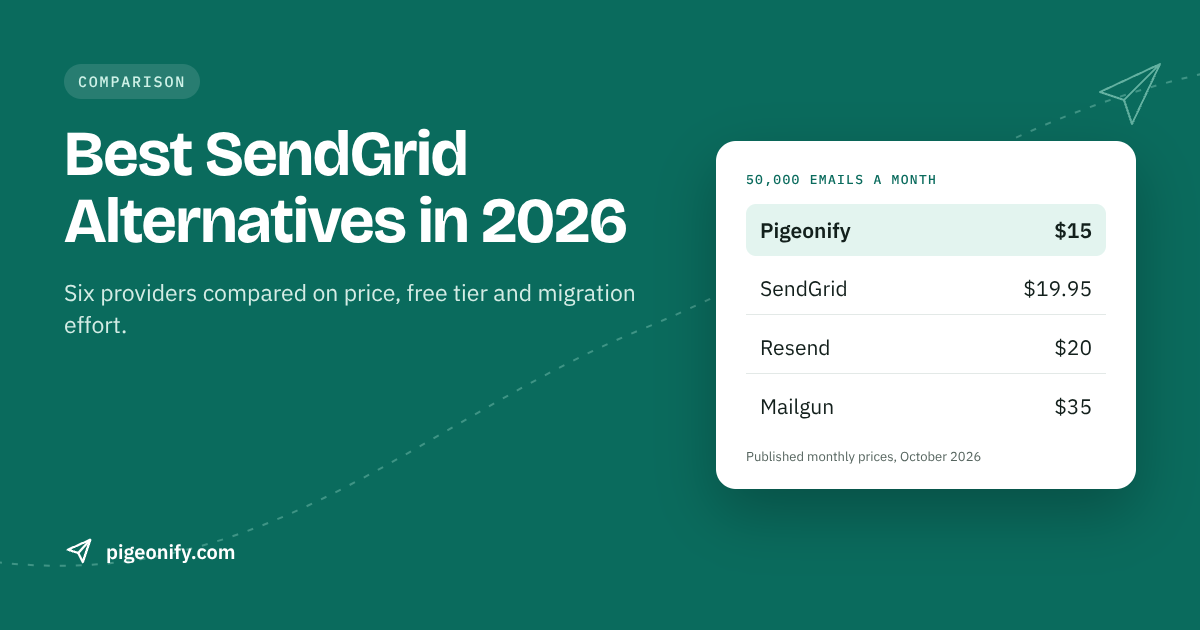
- 50,000 emails a month: Pigeonify $15, SendGrid $19.95, Resend $20, Mailgun $35, Postmark $66 to $87, SES $5.
- 100,000 emails a month: SES $10, SendGrid $34.95, Resend $35, Pigeonify $65, Mailgun $90, Postmark about $126.
- 150,000 emails a month: SES $15, Pigeonify $65, Resend about $80 ($35 plus $45 of overage), SendGrid Pro from $89.95, Mailgun about $145.
If you send close to 100,000 emails a month and only need transactional email, SendGrid Essentials or Resend Pro will cost less than Pigeonify. Our pricing makes the most sense at 50,000 or below, around 150,000, or when you would otherwise pay separately for a marketing tool.
Who should NOT choose Pigeonify
We would rather you pick the right tool than churn in three months. Pigeonify is probably not your best choice if:
- You send roughly 100,000 emails a month and only need transactional. SendGrid Essentials or Resend Pro is about half the price.
- You need inbound email parsing. Mailgun or Postmark handle this; we do not.
- You want a drag-and-drop email builder. Our editor is HTML with live preview plus 70 templates. Brevo or Mailchimp suit non-technical marketers better.
- You rely on advanced segmentation. Our segments are list-based.
- You need SMS or WhatsApp in the same tool. Brevo or the Twilio bundle is a better fit.
- You want the cheapest possible cost and have AWS skills. Raw SES wins on price.
How to migrate from SendGrid in an afternoon
Switching providers sounds risky, but if you migrate from SendGrid in stages it is low drama. The key idea is to run both providers in parallel so you can roll back at any moment.
Step 1: Add DNS records alongside your existing ones
Add your new provider's DKIM records and update SPF to include it, without removing SendGrid's entries yet. Both providers can authenticate for the same domain at the same time. Watch the SPF 10-DNS-lookup limit: adding includes is the most common way teams break SPF during a migration. Our free SPF checker counts lookups for you, and a DKIM lookup confirms the new keys are live.
Step 2: Swap the SDK
For most apps this is a few lines. Here is a typical Node.js send with SendGrid:
// Before: SendGrid
import sgMail from "@sendgrid/mail";
sgMail.setApiKey(process.env.SENDGRID_API_KEY);

await sgMail.send({
  from: "hello@yourapp.com",
  to: "user@example.com",
  subject: "Welcome",
  html: "<p>Thanks for signing up.</p>",
});
And the same send with Pigeonify:
// After: Pigeonify
import { Pigeonify } from "pigeonify";
const pigeonify = new Pigeonify(process.env.PIGEONIFY_API_KEY);

await pigeonify.emails.send({
  from: "hello@yourapp.com",
  to: "user@example.com",
  subject: "Welcome",
  html: "<p>Thanks for signing up.</p>",
});
If you send through SMTP instead, you only change the host, port and credentials. Our Node.js sending guide and the docs cover the details.
Step 3: Route a slice of traffic
Put the provider choice behind a feature flag or environment variable. Start with low-stakes mail, such as internal notifications, then move password resets and receipts once you see clean delivery and no bounce spikes.
Step 4: Move suppressions and webhooks
Export your SendGrid suppression list (bounces, unsubscribes and spam reports) and import it so you do not re-mail addresses that already failed. This matters more than it sounds: Pigeonify suspends accounts whose bounce rate exceeds 2% to protect the shared IP pools. Then point your webhook handlers at the new provider's events. Our bounce handling guide explains what to do with each event type.
Step 5: Remove SendGrid
After a week or two of clean sending, remove SendGrid's DNS includes and cancel the plan.
Frequently asked questions
Does SendGrid still have a free plan?
No. SendGrid retired its permanent free plan. New accounts get a 60-day trial limited to 100 emails per day, and after that the cheapest plan is Essentials at $19.95 per month for 50,000 emails. If you need a free tier that does not expire, Pigeonify offers 5,000 emails a month, and Resend, Mailgun, Postmark and Brevo all have smaller free options.
What is the cheapest SendGrid alternative?
On raw cost, Amazon SES is cheapest at $0.10 per 1,000 emails, but you build bounce handling, dashboards and any marketing features yourself. Among managed services, Pigeonify is cheapest at 50,000 emails a month ($15), while SendGrid Essentials and Resend Pro are cheaper at 100,000 ($34.95 and $35 versus our $65).
How long does it take to migrate from SendGrid?
For a typical app using the API, an afternoon is realistic for the code and DNS work. You add the new provider's DNS records next to SendGrid's, swap a few lines of SDK code, and run both in parallel. Plan an extra week or two of monitoring before you remove SendGrid completely.
Will switching providers hurt my deliverability?
It does not have to. Keep your domain authenticated with SPF, DKIM and DMARC, import your suppression list, and ramp traffic gradually rather than moving everything at once. Sudden volume on a new setup can look suspicious to mailbox providers, which is why parallel sending and a steady ramp are worth the extra days.
Can I send marketing and transactional email from one SendGrid alternative?
Yes. Pigeonify includes marketing campaigns, contacts and automations in the same plan as the API and SMTP relay. Brevo also includes transactional email on its marketing plans. Resend and SendGrid bill marketing separately. If you mix both, keep transactional and marketing traffic on separate sending domains or subdomains where you can.
The bottom line
There is no single best SendGrid alternative. Resend is the pick for developer experience and low cost at 100,000 emails. Postmark is the pick when transactional reliability is worth paying for. Mailgun wins if you need inbound routing or validation. Amazon SES wins on raw price if you have AWS skills. Brevo suits small businesses that want SMS and WhatsApp too. And SendGrid itself is still good value at 100,000 emails a month.
Pigeonify fits best if you want a free tier that does not expire, transactional and marketing email in one plan, and no overage invoices. You can compare us directly on our SendGrid alternative page.