Mailchimp Pricing 2026: Real Costs and Cheaper Options
Mailchimp pricing in 2026 explained: every plan, real costs at 500 to 10,000 contacts, the smaller free plan, hidden costs and cheaper alternatives.
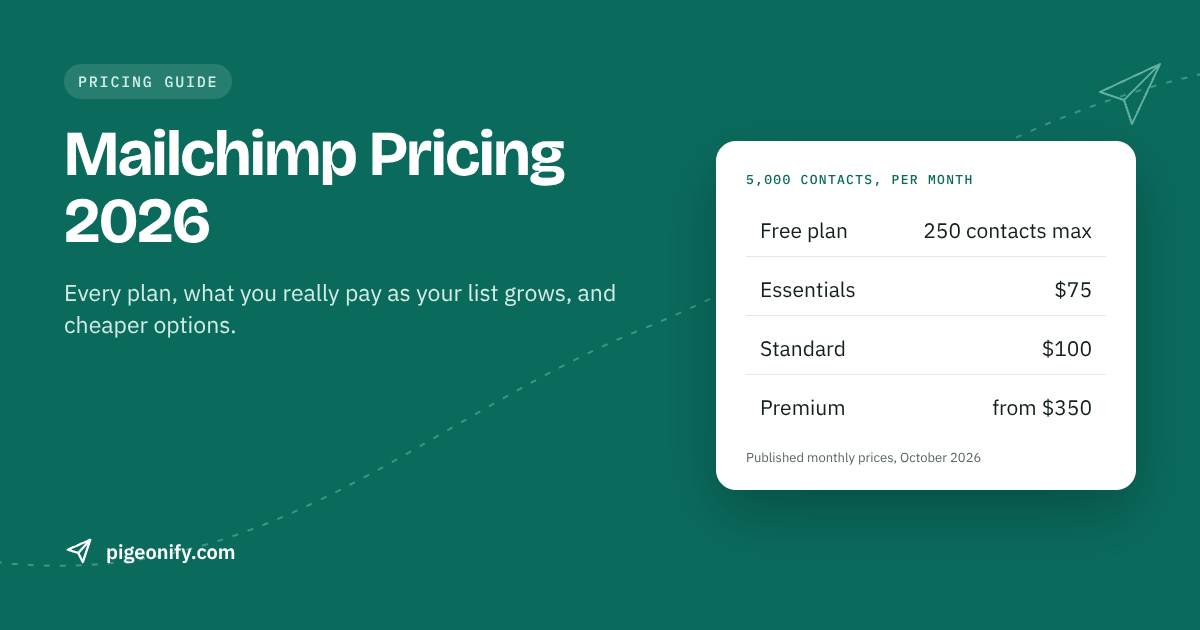
Mailchimp pricing is simple to read and easy to underestimate. The plans start at a friendly number, but your bill is driven by how many contacts you store, and that number tends to grow faster than revenue. This guide walks through every plan, shows real Mailchimp costs at 500, 2,500, 5,000 and 10,000 contacts, explains the costs people miss, and compares Mailchimp with Brevo, Mailjet, Klaviyo and Pigeonify. We also cover where Mailchimp is genuinely the better tool.
Prices checked against each provider's published pricing in early October 2026; providers change prices often, so confirm on their pricing page before you buy.
How Mailchimp pricing works: you pay for contacts
The most important thing to understand about Mailchimp email pricing is that it is based on contacts stored, not emails sent. Each plan has a price that rises as your audience grows. Two businesses that send the same number of emails can pay very different amounts if one has a bigger list.
That model has a few consequences:
- Growing your list raises your bill, even if you email the same number of times.
- Inactive and unsubscribed contacts can still cost you unless you archive them (more on that below).
- Sending more often does not raise the price much, which suits brands that email their whole list frequently.
Other tools price differently. Brevo and Mailjet charge mainly by emails sent. Pigeonify charges by monthly emails and includes a set number of marketing contacts per plan. Klaviyo, like Mailchimp, charges by profiles. Knowing which model you are buying makes comparing quotes much easier.
The Mailchimp free plan after the February 2026 change
In February 2026 Mailchimp cut its free plan. The Mailchimp free plan now includes:
- Up to 250 contacts
- 500 sends per month
- A daily cap of 250 sends
- Mailchimp branding in your emails
That is enough to try the editor and send a couple of newsletters to friends and early customers. It is not enough to run a real list for long. A list of 250 people emailed twice a month already uses the full 500 sends. Once you pass 250 contacts, you need a paid plan.
For comparison, other free tiers right now:
- Brevo: 300 emails a day, up to 100,000 contacts, with Brevo branding
- Mailjet: 6,000 emails a month, 200 a day, with Mailjet branding
- Klaviyo: 250 profiles and 500 sends
- Pigeonify: 5,000 emails a month (200 a day), 1,000 marketing contacts, no card
Mailchimp plans explained
Mailchimp sells four tiers. Prices below are the published starting prices.
Free
$0 for 250 contacts and 500 sends a month, with branding. Good for testing.
Essentials
From $13 per month for 500 contacts. Essentials is the entry tier. It suits small lists that send regular newsletters and do not need Mailchimp's more advanced features.
Standard
From $20 per month for 500 contacts. Standard is the middle tier, a step up from Essentials for businesses that want more of the automation and segmentation Mailchimp is known for. Check the plan comparison on Mailchimp's site for the exact feature split.
Premium
From $350 per month for 10,000 contacts. Premium is aimed at larger teams that need Mailchimp's most advanced features. The jump from Standard to Premium is steep, so it is worth confirming you need what Premium adds before upgrading.
Mailchimp costs by list size
Here is roughly what Essentials and Standard cost at common list sizes, per month.
| Contacts | Essentials | Standard | Premium |
|---|---|---|---|
| 500 | $13 | $20 | — |
| 2,500 | about $45 | about $60 | — |
| 5,000 | about $75 | about $100 | — |
| 10,000 | about $110 | about $135 | from $350 |
A few patterns stand out:
- The first 500 contacts are cheap; growth is not. Going from 500 to 5,000 contacts multiplies the Standard price by five.
- Standard costs about $15 to $25 more than Essentials at each size, which is the price of the extra automation and segmentation.
- Premium is a different league. At 10,000 contacts, Standard is about $135 and Premium starts at $350.
Hidden Mailchimp costs to watch
The sticker price is only part of how much email marketing costs on Mailchimp. These are the items that most often surprise people.
Unsubscribed contacts can count toward your bill
Contacts who have unsubscribed can still count toward billing unless you archive them. If you have been collecting signups for years, a meaningful part of your audience may be people who will never receive another email, and you could be paying for them every month.
Transactional email is a separate add-on
Mailchimp's marketing plans do not cover transactional email such as password resets, receipts or order confirmations. For that, Mailchimp offers Mandrill, a separate paid add-on. If your business needs both, you are paying for two products. Our guide on transactional vs marketing email explains why the two are usually handled differently.
The Premium jump
If you outgrow Standard's features, the next step is Premium from $350 per month. There is no in-between tier, so a single feature requirement can more than double your bill.
List growth without list cleaning
Because you pay for stored contacts, a list full of old, unengaged addresses costs money and can hurt your sender reputation. That second cost is harder to see but just as real. Read why emails land in spam for how engagement affects inbox placement.
Worked scenarios: what you would actually pay
Abstract price tables only go so far. Here are three realistic situations.
Scenario 1: A 5,000-contact newsletter sent weekly
A small software company has 5,000 subscribers and sends a weekly newsletter. That is about 20,000 sends a month.
- Mailchimp Standard: about $100 per month (or about $75 on Essentials)
- Pigeonify Pro: $15 per month, which covers 50,000 emails and 10,000 marketing contacts
On price alone the gap is large. But it is not a like-for-like comparison. Mailchimp gives you a polished drag-and-drop builder and advanced segmentation and automation. Pigeonify gives you an HTML editor with live preview and 70 ready-made HTML templates, and segmentation is list-based. If your newsletter is written by a marketer who does not touch HTML, or you rely on behavior-based segments, Mailchimp's extra cost buys real value.
Also note the contact ceiling: Pigeonify Pro holds 10,000 contacts. If this list grows past 10,000, you would move to Scale at $65 per month, which includes 50,000 contacts and 150,000 emails.
Scenario 2: A 10,000-contact list emailed twice a month
About 20,000 sends a month again, but with a bigger audience.
- Mailchimp Essentials: about $110; Standard: about $135
- Pigeonify Pro: $15, which is right at its 10,000-contact limit. Any growth means moving to Scale at $65.
- Klaviyo: $150 for 10,000 profiles
Scenario 3: A store that needs receipts and a newsletter
An online shop with 2,500 contacts sends a monthly newsletter and also needs order confirmations and shipping emails.
- Mailchimp: about $45 to $60 for marketing, plus the separate Mandrill add-on for transactional email
- Brevo: transactional email via API and SMTP is included on its plans
- Pigeonify: both transactional (API and SMTP) and campaigns on one plan; Free covers 5,000 emails a month if you stay under 200 per day, otherwise Pro at $15
- Klaviyo: $60 for 2,500 profiles, with deep Shopify integration, which may be worth it for an ecommerce store
Mailchimp alternative pricing compared
How does Mailchimp stack up against the most common alternatives? Each uses a different pricing model, so read the "priced by" column first.
| Tool | Priced by | Free plan | Entry paid plan | Example price | Best at |
|---|---|---|---|---|---|
| Mailchimp | Contacts | 250 contacts, 500 sends | Essentials from $13 (500 contacts) | 5,000 contacts: about $75–$100 | Drag-and-drop builder, templates, segmentation |
| Brevo | Emails sent | 300/day, up to 100,000 contacts | Starter from $9 (5,000 emails) | Standard from $18 adds automation and A/B | Multichannel (SMS, WhatsApp), free CRM |
| Mailjet | Emails sent | 6,000/mo, 200/day | Starter $9 (8,000 emails) | Essential from $17 (15,000 emails, unlimited contacts) | EU/GDPR focus, collaborative editor |
| Klaviyo | Active profiles | 250 profiles, 500 sends | $20 (251–500 profiles) | 5,000 profiles: $100 | Shopify/ecommerce, revenue attribution |
| Pigeonify | Emails sent (contacts included) | 5,000/mo, 1,000 contacts | Pro $15 (50,000 emails, 10,000 contacts) | Scale $65 (150,000 emails, 50,000 contacts) | API + SMTP + campaigns in one plan |
Brevo
Brevo prices by emails sent, so a large list you email occasionally is cheap. Its free plan allows up to 100,000 contacts. Removing Brevo branding on Starter is a $10.80 per month add-on, and automation beyond the basics starts on Standard from $18. Its SMS and WhatsApp channels are something neither Mailchimp nor Pigeonify offers.
Mailjet
Mailjet's Essential plan from $17 per month covers 15,000 emails with unlimited contacts and no logo. Premium from $27 adds automation, A/B testing and landing pages. Mailjet suits teams that want an EU-based provider with a strong GDPR focus.
Klaviyo
Klaviyo is priced like Mailchimp, by active profiles, and lands higher at most sizes ($100 for 5,000 and $150 for 10,000). Monthly sends are about 10 times your profiles. You pay for the deepest Shopify integration available, predictive analytics and revenue attribution. For ecommerce brands that live on flows and attribution, that can be worth more than the difference.
Pigeonify
Pigeonify is an email delivery platform with a REST API, SMTP relay and marketing campaigns in one account. Because pricing is based on monthly emails with contacts included, it is often much cheaper than Mailchimp for small and mid-sized lists. You also get transactional email in the same plan, with no separate add-on. See our Mailchimp alternative page and our pricing page for the full breakdown.
Where Mailchimp is better
We would be doing you a disservice if we only talked about price. Mailchimp is the better choice when:
- Non-technical people build your emails. Mailchimp's drag-and-drop builder is polished. Pigeonify has no drag-and-drop builder; our editor is HTML with live preview plus 70 templates.
- You rely on advanced segmentation and automation. Mailchimp's advanced segmentation goes well beyond Pigeonify's list-based segments.
- You want a huge template gallery. Mailchimp's is far larger than our 70 templates.
- You value brand familiarity and integrations. Mailchimp is widely known and connects to a large number of tools. Pigeonify is a newer platform with a smaller integration ecosystem.
Who should NOT choose Pigeonify instead of Mailchimp
Pigeonify is probably not the right Mailchimp alternative if your marketing team needs drag-and-drop editing, if your campaigns depend on behavioral segments, or if you need integrations we do not yet have. It is a good fit if you are a developer-led team, are comfortable with HTML templates, want transactional and marketing email in one place, and want predictable pricing with no overage bills. When you hit your plan limit, sending pauses and you upgrade, so you will never get a surprise invoice, but you do need to plan upgrades before big sends.
How to lower your Mailchimp bill
If you are staying with Mailchimp, these steps can bring the bill down without switching tools.
- Archive unsubscribed contacts. Since unsubscribes can count toward billing unless archived, this is the fastest saving for most older accounts.
- Clean inactive subscribers. Run a re-engagement campaign, then archive people who still do not open. Our email list hygiene guide walks through the process.
- Remove bounced and invalid addresses. They add cost and hurt reputation without adding any value.
- Check whether you need Standard. If you are not using Standard's automation and segmentation features, Essentials is about $15 to $25 cheaper per month at most sizes.
- Avoid accidental Premium upgrades. Confirm exactly which Premium feature you need and whether a separate tool could cover it more cheaply.
- Separate transactional email. If you are paying for Mandrill, compare it against a sending service that bundles transactional and marketing together.
- Measure what matters. Track opens, clicks and unsubscribes over time to spot segments worth keeping. Our guide to email metrics that matter can help.
Frequently asked questions
How much does Mailchimp cost per month?
Mailchimp's paid plans start at $13 per month (Essentials) and $20 per month (Standard) for 500 contacts. At 2,500 contacts expect about $45 or $60, at 5,000 about $75 or $100, and at 10,000 about $110 or $135. Premium starts at $350 per month for 10,000 contacts. There is also a free plan for up to 250 contacts.
Is the Mailchimp free plan still worth it?
Since February 2026 the Mailchimp free plan covers 250 contacts and 500 sends a month with a 250-per-day cap and Mailchimp branding. It is fine for testing the editor, but most real lists outgrow it quickly. Brevo, Mailjet and Pigeonify all offer larger free allowances if you need more room before paying.
Does Mailchimp charge for unsubscribed contacts?
Unsubscribed contacts can count toward your Mailchimp bill unless you archive them. If your audience has built up over several years, archiving unsubscribes and long-inactive contacts is often the quickest way to lower your plan tier. Check Mailchimp's current billing rules before archiving, since archived contacts behave differently from active ones.
How much does email marketing cost for a small business?
It depends on list size, sending frequency and features. For a 5,000-contact list emailed weekly, Mailchimp Standard costs about $100 a month and Klaviyo $100, while Pigeonify Pro is $15 for up to 10,000 contacts and 50,000 emails. Lower prices usually mean fewer marketing features, so match the tool to the work you actually do.
What is the best Mailchimp alternative?
There is no single answer. Brevo suits small businesses that want SMS and WhatsApp and a free CRM. Mailjet suits teams that want an EU focus. Klaviyo suits Shopify stores. Pigeonify suits developer-led teams that want transactional and marketing email in one inexpensive plan. If drag-and-drop editing and advanced segmentation are essential, Mailchimp may still be the best fit.
Does Mailchimp include transactional email?
No. Mailchimp's marketing plans do not include transactional email such as receipts and password resets. Mailchimp offers this through Mandrill, a separate paid add-on. Brevo includes transactional email on its plans, and Pigeonify includes both an API and SMTP relay alongside campaigns in the same plan.
The bottom line
Mailchimp pricing rewards small lists and frequent sending, and penalizes large lists full of inactive contacts. If you value its builder, templates and segmentation, archive unsubscribes, clean your list and stay on the lowest plan that covers your features. If you are a developer-led team paying mostly for contacts and a basic newsletter, an email-based plan with contacts included can cost a fraction of the price.