Brevo vs Mailchimp (2026): Which Is Cheaper for Your List?
Brevo vs Mailchimp in 2026: Brevo bills by emails sent, Mailchimp by contacts stored. Worked pricing scenarios, free plans, automation and a third option.
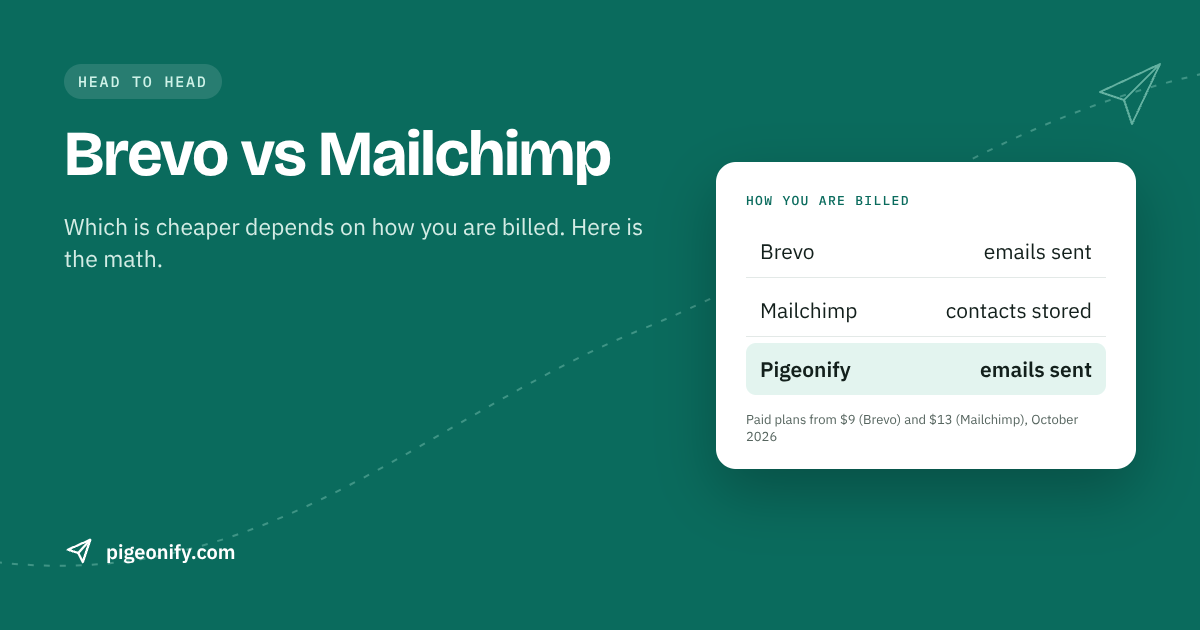
If you are weighing Brevo vs Mailchimp, the most useful thing to know is that they charge for different things. Brevo (formerly Sendinblue) bills you for the emails you send. Mailchimp bills you for the contacts you store. Everything else, from the free plans to the automation tiers, follows from that one design choice.
That means there is no single "cheaper" answer. A large list you email once a month and a small list you email three times a week land on opposite sides. This guide works through realistic scenarios with published prices, compares the free plans, editors, automation and transactional email, and then looks at a third option for teams that need a developer API alongside campaigns.
Prices checked against each provider's published pricing in early October 2026; providers change prices often, so confirm on their pricing page before you buy.
The core difference: emails sent vs contacts stored
Here is the pricing model of each, stated plainly.
- Brevo charges by monthly email volume. Its free plan allows up to 100,000 contacts but caps sending at 300 emails per day. Paid plans start with Starter from $9/month for 5,000 emails, then Standard from $18/month, and Professional from $499/month.
- Mailchimp charges by the number of contacts in your audience. Essentials starts at $13/month and Standard at $20/month, both for 500 contacts, and the price climbs as your list grows. Premium starts at $350/month for 10,000 contacts.
The practical consequence:
- With Mailchimp, every contact you keep costs money whether you email them or not. Importantly, unsubscribed contacts can count toward your bill unless you archive them.
- With Brevo, you can store a large audience cheaply, but every send counts against your volume, so frequent sending to a big list adds up.
If you want a deeper look at the contact-based side, our Mailchimp pricing breakdown goes tier by tier.
Brevo pricing vs Mailchimp pricing: worked scenarios
Below are four common situations. We use only the prices published by each provider. Where Brevo's price for a particular volume is not part of its starting prices, we say so rather than guess; check Brevo's pricing slider for the exact figure at your volume.
Scenario 1: Small list, sent often (250 contacts, weekly)
You have 250 subscribers and send a weekly update. That is roughly 1,000 emails a month, with 250 going out on any given send day.
- Mailchimp: The free plan covers 250 contacts but only 500 sends a month (with a 250-per-day cap). Four weekly sends need 1,000, so you outgrow free and move to Essentials at about $13/month.
- Brevo: 250 emails on a send day fits under the 300-per-day free cap, and 1,000 a month is well within it. Cost: $0, with Brevo branding in the footer.
Winner: Brevo. Its daily cap is generous enough for a small list sent frequently, and Mailchimp's 500-send monthly limit is the bottleneck.
Scenario 2: Mid-size list, sent monthly (2,500 contacts)
You have 2,500 contacts and send one newsletter a month.
- Mailchimp: About $45/month on Essentials or $60/month on Standard.
- Brevo: The free plan cannot send 2,500 emails in one day because of the 300/day cap, so a single-day blast needs a paid plan. Starter from $9/month includes 5,000 emails, which covers this list twice a month.
Winner: Brevo, by a wide margin. A list you email rarely is exactly where per-email pricing shines.
Scenario 3: Larger list, sent weekly (5,000 contacts)
Now 5,000 contacts, emailed every week, which is about 20,000 emails a month.
- Mailchimp: About $75/month on Essentials or $100/month on Standard. The price does not change if you send more often.
- Brevo: Starter's entry price covers 5,000 emails, so 20,000 emails a month puts you on a higher volume tier. Brevo's price rises with volume; check its slider for the exact 20,000-email figure.
Winner: depends on frequency. The more often you email this list, the more Mailchimp's flat contact price looks reasonable. Run your actual send count through Brevo's calculator before deciding.
Scenario 4: Large list, occasional campaigns (10,000 contacts)
You have 10,000 contacts, many of them older sign-ups, and you send a campaign once a month.
- Mailchimp: About $110/month on Essentials or $135/month on Standard, and you pay for every stored contact, including inactive ones.
- Brevo: 10,000 emails a month is above Starter's entry tier, but you are only paying for 10,000 sends, not for storing a large audience.
Winner: usually Brevo. Large, infrequently emailed lists are where contact-based pricing hurts most. If you stay on Mailchimp, prune inactive subscribers regularly; our email list hygiene guide covers how.
A quick rule of thumb
- Big list, low frequency: Brevo tends to be cheaper.
- Small list, high frequency: Brevo's free plan is hard to beat until you exceed 300 per day.
- Mid-size list, high frequency: compare carefully, because Mailchimp's flat contact price can win as send counts rise.
Free plans compared
Both providers have a free tier, but they limit different things.
| Free plan | Brevo | Mailchimp |
|---|---|---|
| Contacts | Up to 100,000 | 250 |
| Sending limit | 300 emails per day | 500 sends per month, 250 per day |
| Branding | Brevo branding | Mailchimp branding |
| Best for | Storing a large list, sending in small daily batches | Trying the editor with a very small list |
Mailchimp reduced its free plan in February 2026 to 250 contacts and 500 sends a month. Brevo's free plan is the more generous of the two for most real lists, although the 300-per-day cap means you cannot send one campaign to a large list on a single day.
Editors and templates
This is where Mailchimp earns its reputation.
- Mailchimp has a polished drag-and-drop builder and a huge template gallery. If your team is non-technical and wants to assemble good-looking emails visually, it is one of the most comfortable tools on the market.
- Brevo also offers a visual campaign editor and templates, and it covers the needs of most small businesses. In our view Mailchimp's builder and gallery are the more mature of the two.
If design flexibility is your top priority and budget is secondary, Mailchimp is the safer pick here.
Automation: Brevo Standard vs Mailchimp Standard
Both tools put serious automation behind a mid-tier plan.
- Brevo Standard starts at $18/month and adds automation and A/B testing. Brevo's Starter plan does not include automation beyond the basics, and removing the Brevo logo on Starter is a $10.80/month add-on.
- Mailchimp Standard starts at $20/month for 500 contacts. Mailchimp's strength is advanced segmentation and automation, and it is one of the reasons people stay despite the contact-based pricing.
At the entry level the prices are close: $18 vs $20. The gap opens as your list grows, because Mailchimp Standard's price rises with contacts while Brevo's rises with sends.
If you need sophisticated behavior-based journeys and deep segmentation, Mailchimp is the stronger product. If you need welcome series, simple drips and A/B tests at a lower cost for a large list, Brevo Standard is good value.
Transactional email: a real difference
Transactional email is the one-to-one mail your app sends: password resets, receipts, sign-up confirmations. If you are not sure where the line falls, see transactional vs marketing email.
- Brevo includes transactional email via API and SMTP on its plans. One account covers your newsletter and your app's receipts.
- Mailchimp handles transactional email through Mandrill, a separate paid add-on. You pay for marketing and transactional sending separately.
For a SaaS or ecommerce business that sends both kinds of email, this point alone can tip the decision toward Brevo.
Multichannel and CRM
Brevo goes beyond email. It offers SMS and WhatsApp messaging and a free CRM. If you want to reach customers by text as well as email from one place, Brevo covers that. Mailchimp's strengths are concentrated in email marketing: the builder, the templates, segmentation and brand familiarity.
Where Mailchimp is better
To be fair to Mailchimp, it is the better choice when:
- Your team wants the most polished drag-and-drop editor and the largest template gallery.
- You rely on advanced segmentation and automation and are willing to pay for it.
- Your list is small and clean, so contact-based pricing stays affordable.
- Brand familiarity matters, for example when agencies or clients already know the tool.
Where Brevo is better
Brevo is the better choice when:
- You have a large list that you email infrequently.
- You want a usable free plan for a real list (up to 100,000 contacts at 300 emails a day).
- You need transactional email included rather than as a separate add-on.
- You want SMS, WhatsApp or a free CRM in the same account.
A third option: Pigeonify for API + campaigns
Some teams reading a Brevo vs Mailchimp comparison are really looking for a Brevo alternative or Mailchimp alternative that puts a developer API first. That is the gap Pigeonify is built for. It combines a transactional REST API, SMTP relay and marketing campaigns in one account, running on AWS SES infrastructure.
Like Brevo, Pigeonify prices by emails sent, not contacts stored:
- Free: $0, 5,000 emails/month (max 200/day), 1,000 marketing contacts, no card required.
- Pro: $15/month for 50,000 emails and 10,000 marketing contacts.
- Scale: $65/month for 150,000 emails and 50,000 marketing contacts.
There is no overage billing. When you hit your plan limit, sending pauses and you upgrade deliberately, so there is no surprise invoice. The flip side is that you do need to move up a tier yourself. Full details are on the pricing page.
Applied to the scenarios above, Pigeonify Pro at $15/month would cover the 5,000-contact weekly list (about 20,000 emails) and the 10,000-contact monthly list. For the 250-contact weekly list, note that Pigeonify's free plan caps sending at 200 per day, so a single 250-email send would not fit in one day; Brevo's free plan handles that case better.
What you get as a developer: official SDKs, React Email support, batch and scheduled sending, signed webhooks, scoped API keys, automatic suppression lists, and guided SPF, DKIM and DMARC setup. On the marketing side: campaigns to contact lists, signup forms, automations, 70 ready-made HTML templates and an HTML editor with live preview.
What Pigeonify does not do
Be clear about the trade-offs before switching:
- No drag-and-drop builder. You edit HTML with a live preview, or start from one of 70 templates. A non-technical marketer may prefer Mailchimp or Brevo.
- No SMS or WhatsApp. Brevo is the better fit if you need multichannel messaging.
- List-based segmentation, which is less advanced than Mailchimp's.
- A newer platform with a smaller integration ecosystem than either Brevo or Mailchimp.
If those are deal-breakers, stick with one of the two incumbents. For a broader view, our Mailchimp alternatives page compares more options.
Brevo vs Mailchimp vs Pigeonify: feature table
| Feature | Brevo | Mailchimp | Pigeonify |
|---|---|---|---|
| Pricing model | Emails sent | Contacts stored | Emails sent |
| Free plan | 300 emails/day, up to 100,000 contacts | 250 contacts, 500 sends/month | 5,000 emails/month (200/day), 1,000 contacts |
| Entry paid plan | Starter from $9/mo (5,000 emails) | Essentials from $13/mo (500 contacts) | Pro $15/mo (50,000 emails, 10,000 contacts) |
| Automation tier | Standard from $18/mo | Standard from $20/mo | Automations included |
| Editor | Visual editor and templates | Polished drag-and-drop, huge gallery | HTML editor with live preview, 70 templates |
| Transactional email | Included (API/SMTP) | Mandrill, separate paid add-on | Included (REST API, SMTP, SDKs) |
| SMS / WhatsApp | Yes | Not a focus | No |
| Segmentation | Available | Advanced | List-based |
| Overage | Plan by volume | Plan by contacts | No overage; sending pauses at limit |
How to decide in five minutes
- Count your contacts and your monthly sends. Contacts drive Mailchimp's bill; sends drive Brevo's and Pigeonify's.
- Check your peak day. If one campaign goes to more than 300 people, Brevo's free plan will not send it in a single day.
- Decide who builds the emails. Non-technical teams lean toward Mailchimp's builder. Developers comfortable with HTML have more options.
- List your channels. Need SMS or WhatsApp? Brevo.
- Check transactional needs. If your app sends receipts and resets, avoid paying for a separate add-on unless Mailchimp's other strengths justify it.
FAQ
Is Brevo cheaper than Mailchimp?
Often, yes, but it depends on how you send. Brevo bills by emails sent and Mailchimp by contacts stored, so a large list emailed infrequently is usually cheaper on Brevo. A smaller list emailed many times a month can narrow the gap or favor Mailchimp. Count your monthly sends and contacts, then compare both pricing pages with those exact numbers.
What is the difference between Brevo and Sendinblue?
They are the same company. Sendinblue rebranded as Brevo, so anyone searching for a Sendinblue alternative is effectively looking at Brevo's current product. The pricing model is still based on emails sent rather than contacts stored, and the platform now includes SMS, WhatsApp and a free CRM alongside email marketing and transactional sending.
Does Mailchimp charge for unsubscribed contacts?
Unsubscribed contacts can count toward your Mailchimp bill unless you archive them. Because Mailchimp prices by contacts stored, regularly archiving unsubscribed and long-inactive contacts is one of the simplest ways to keep costs down. Brevo and Pigeonify price by emails sent, so stored contacts matter less to the bill on those platforms.
Which has the better free plan, Brevo or Mailchimp?
For most real lists, Brevo. Its free plan allows up to 100,000 contacts and 300 emails per day, while Mailchimp's free plan is limited to 250 contacts and 500 sends a month. Both add their own branding. Mailchimp's free plan is mainly useful for trying its editor with a very small audience.
Can I send transactional email with Mailchimp?
Yes, through Mandrill, which is a separate paid add-on rather than part of the standard marketing plans. Brevo includes transactional email via API and SMTP on its plans, and Pigeonify includes a transactional REST API, SMTP relay and official SDKs in every plan, alongside marketing campaigns in the same account.
Is Pigeonify a good Mailchimp alternative?
It is a good fit if you want a developer API and campaigns in one account, priced by emails sent, starting at $15 for 50,000 emails. It is not a good fit if you need a drag-and-drop builder, SMS, or Mailchimp-level segmentation. Pigeonify uses an HTML editor with live preview and 70 ready-made templates.
The bottom line
The Brevo vs Mailchimp decision mostly comes down to arithmetic. If you have a big list and send occasionally, Brevo's per-email pricing usually wins. If you value the best visual builder and advanced segmentation and your list is modest, Mailchimp is worth its price. And if you are a developer who wants transactional API sending and campaigns together, priced by volume with no overage bills, Pigeonify is worth a look, as long as you are comfortable working in HTML.